background

UX Design
Self Initiated Case Study

Case study based on an experience I had with Google Play Music
From defining problem to research & solution.

The Problem

The goal of the project is to present user with clean, modern and crisp interface and experience.

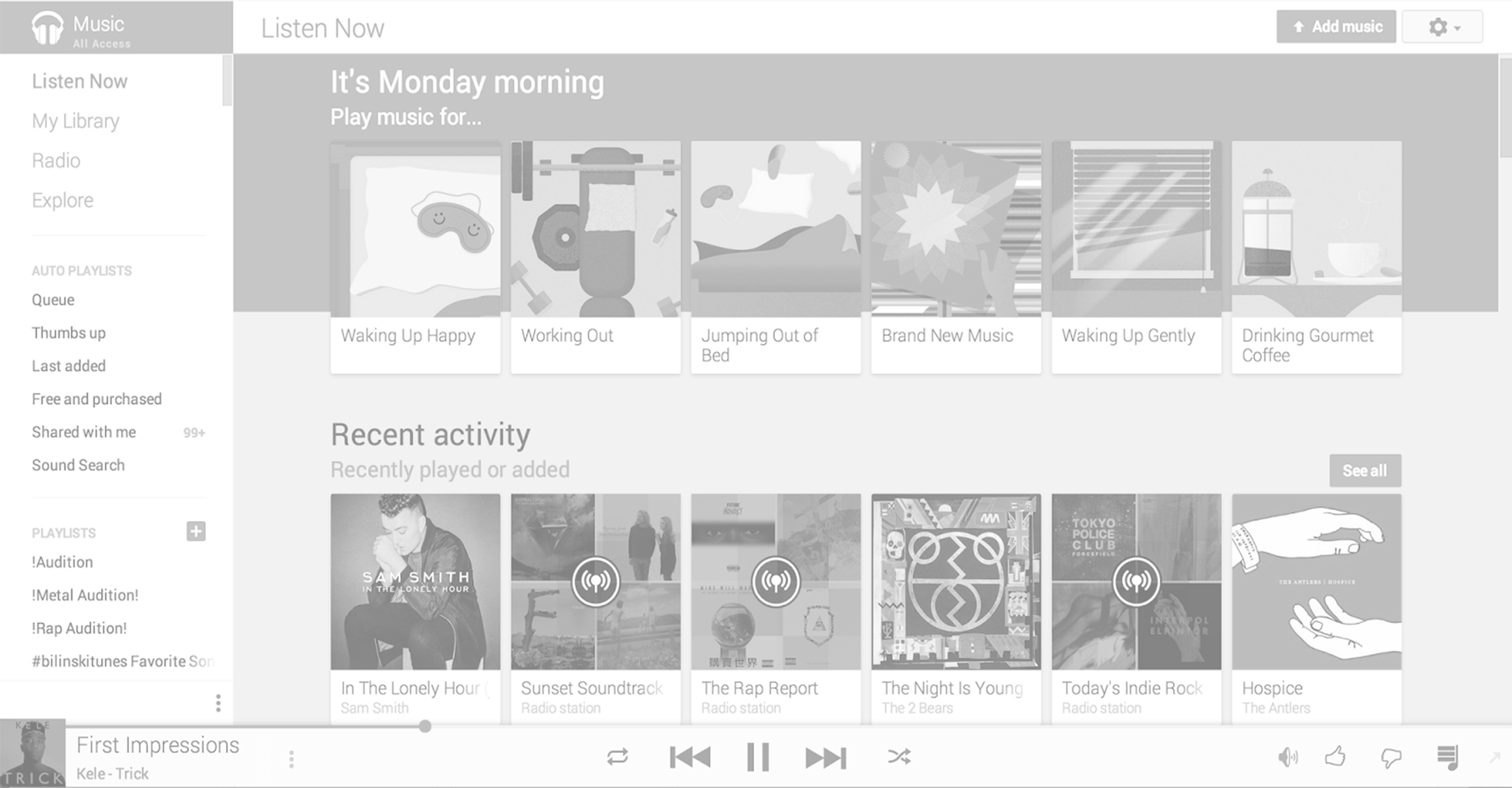
This problem arose from a real life situation. I started using Google Play Music simply because it came pre-installed on my Android smartphone. As time went on, I found a few snags with the app, or rather, functions or features that could be simpler or easier to navigate.

In order to find a better solution, I will be conducting surveys and usability test across various similar apps to identify the best features and functions across all apps, as suggested by other users.

Here are some of the main points I will address throughout the research and design solution.

  • Do many people use these features
  • Are any affordances given
  • What is the problem with Google's current solution
  • How can we design the solution

The Process

I chose the the below research methods as I felt this process was the best way to accumulate quantitative & qualitative data on users and competitors in the music streaming app industry. This in turn would inform my design with a research & evidence based solution.

  • 1 Research

    Online Survey
    Competitive Benchmarking

  • 2 Design

    Defining Navigation
    Sketching

  • 3 Prototype

    Medium Fidelity
    Prototype

  • 4 Final Design

    Usability Tests
    Depth Interview

THE PROCESS
1
Research

For the research phase of the project I used the following methods: Online Survey & Benchmarking.

Survey

I sent out 1 Survey that was completed by 41 people (in a real world project I would have aimed to get over 100 responses) I used Survey Monkey for the form which consisted of 10 questions. To the get the maximum response, I outlined that there were just 10 questions and it would only take 2 minutes. I used a mixture of open ended and closed questions.
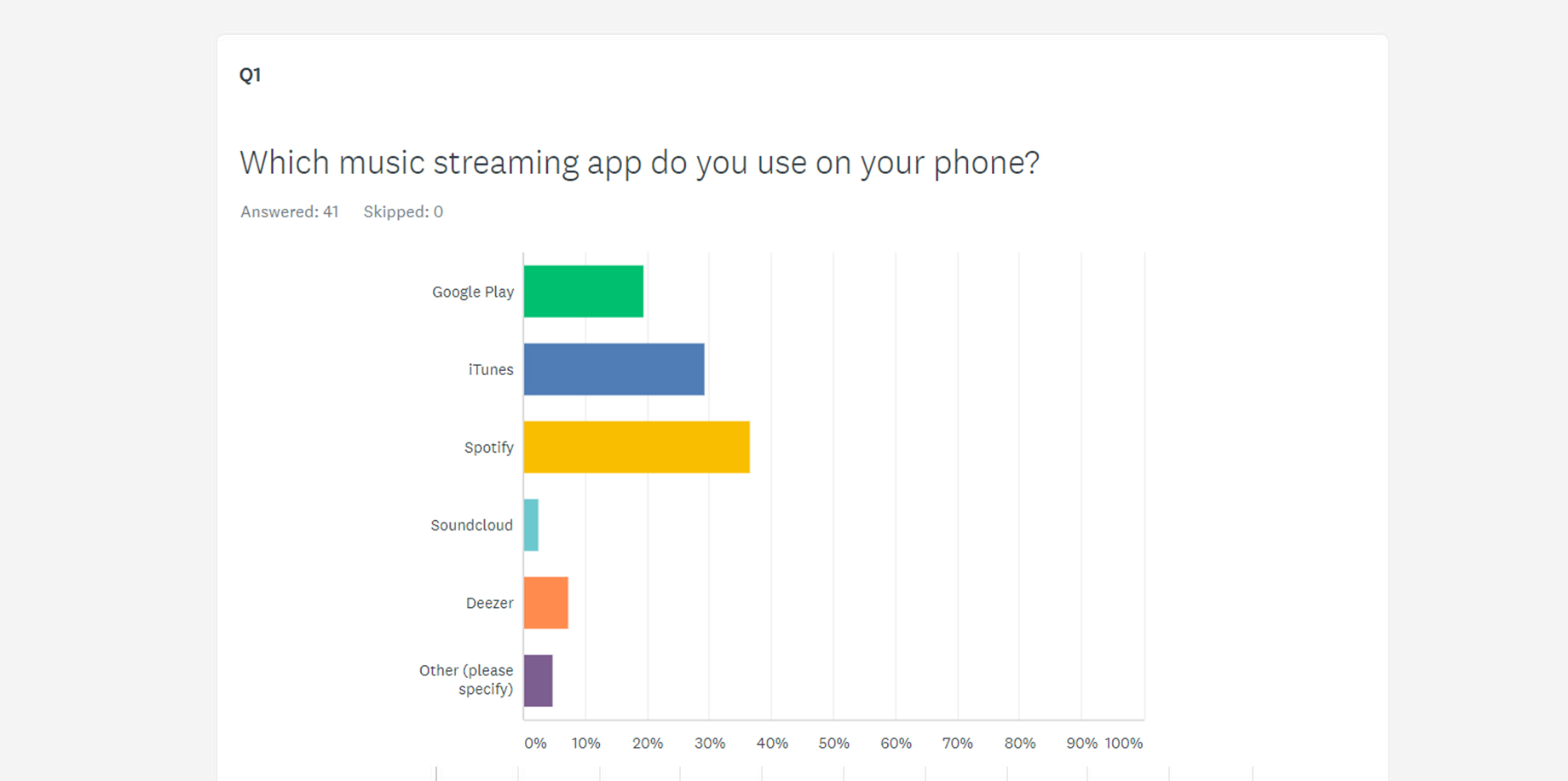
image Screenshot from survey View full survey results
  • “Bloated and unfriendly UI”
  • “It looks poorly made”
  • “Confusing UI when I first tried it”

The survey revealed that the primary motivation for choosing a music streaming app was ease of use and the fact that it came pre-installed on their phones. One of the main improvements users would look for is to make the Interface more user friendly and less bloated.

Competitive Benchmarking

During the Competitive Benchmarking phase I reviewed five msuic streaming apps and benchmarked them to learn what they are doing well and not so well so that I could emulate them in the right places and avoid the pitfalls I discovered. My main objectives here were were to:

  • Learn how other music streaming apps solve the problem we are trying to solve
  • Understand the conventions we should follow
  • Highlight best practice that we should emulate
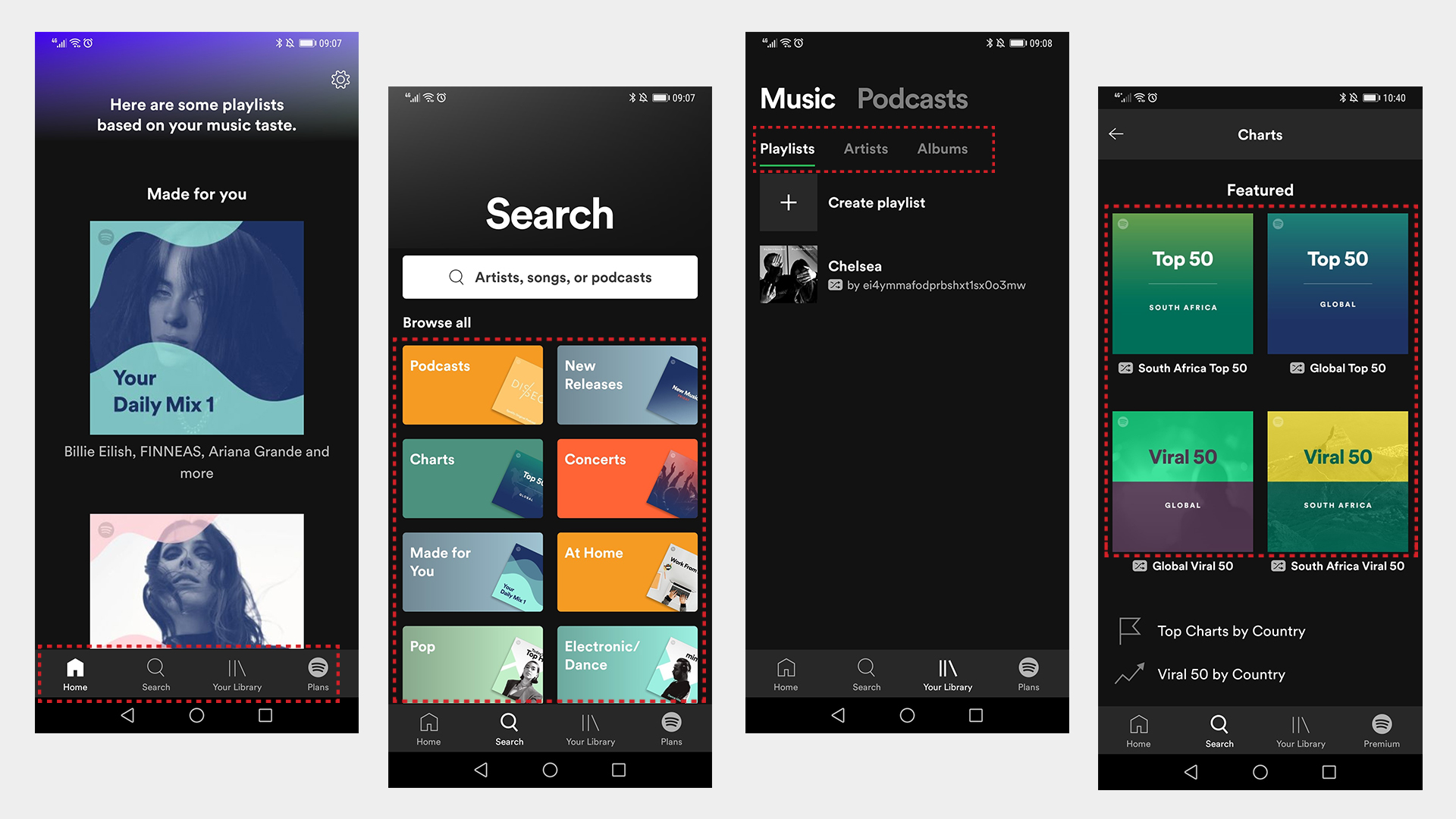
image Spotify analysis

The Process
2
Design

My design process would include Defining Navigation and Sketching

Define Navigation Style

Next step in my design process was to define the navigation style that I thought would accommodate the users flow through the app. Here I could call upon my earlier benchmarking work to see what are the common styles from other music streaming apps.

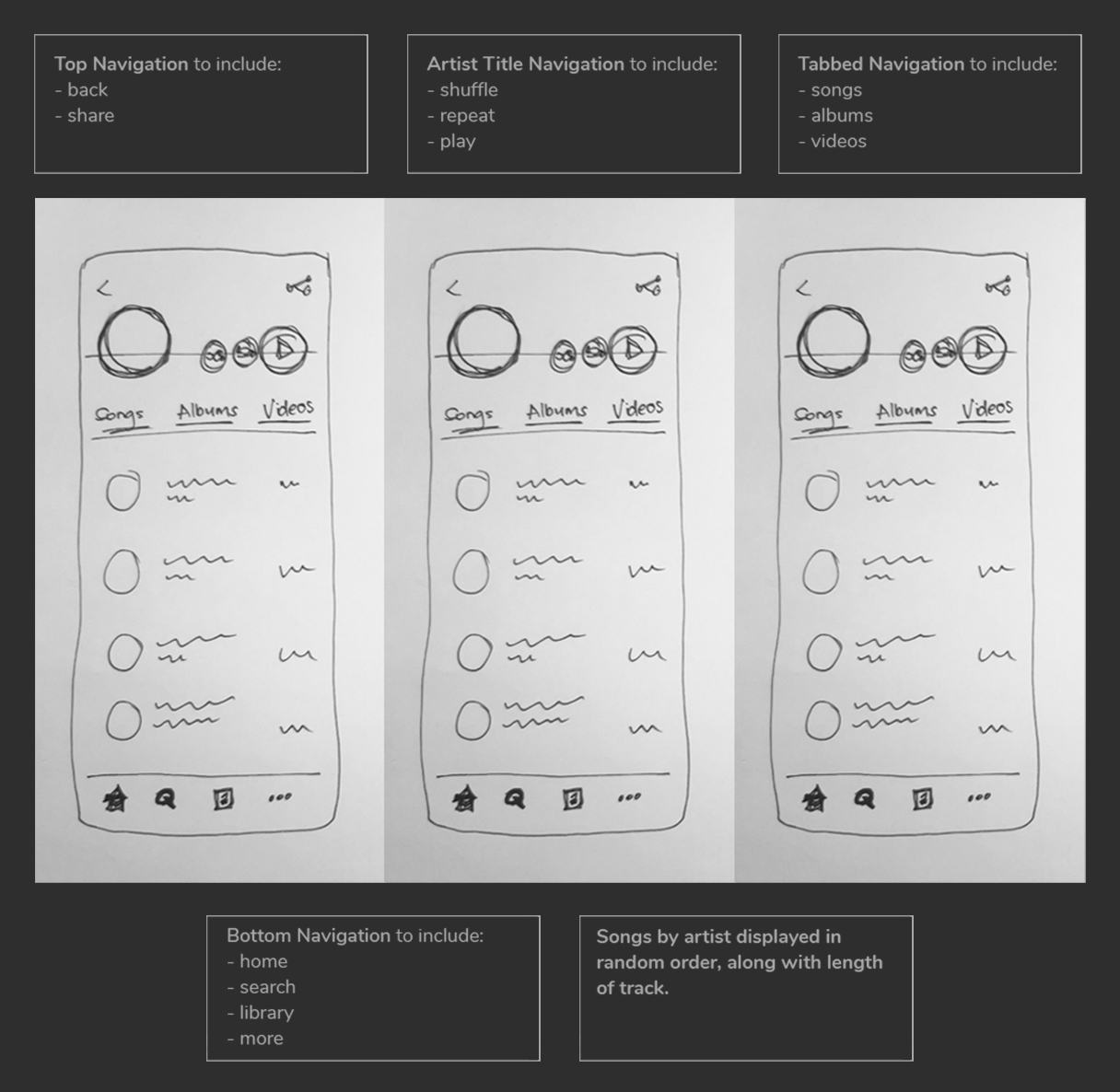
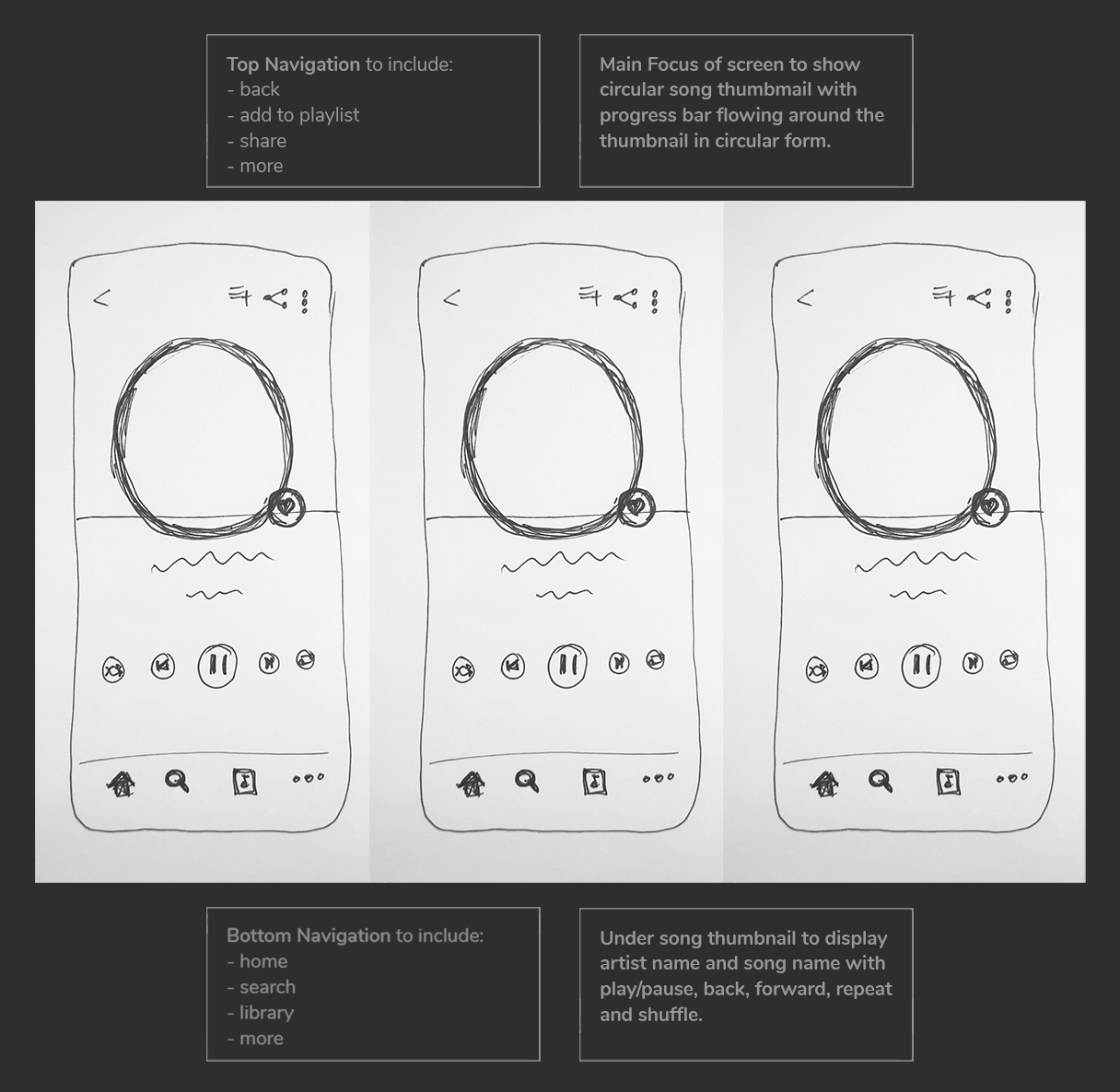
I decided on a bottom tabbed navigation as I didn't want to hide everything behind hamburger menu, this approach would allow me to always display the most important areas of the app with the inclusion of a "More" option if user wants to dive deeper.
Moreover, I placed the navigation at the bottom to ensure users could reach navigation comfortably while using one hand.

image Navigation elements on artist screen
image Navigation elements on single track screen

Sketching the Screens

Here I could build on the navigation I had already defined and really nail down the layout and interaction design of the screens.

This was in fact a low-fi prototype. I sketched out each screen/iteration on individual pieces of paper and crudely went through the journey by hand as if they were real screen on a phone in front of me.

image

Rough Stetching

I wasn't worried about how the screens looked at this point, I just wanted to validate or invalidate my thinking for the design. This style of rapid screen sketching really helps to get ideas down fast.

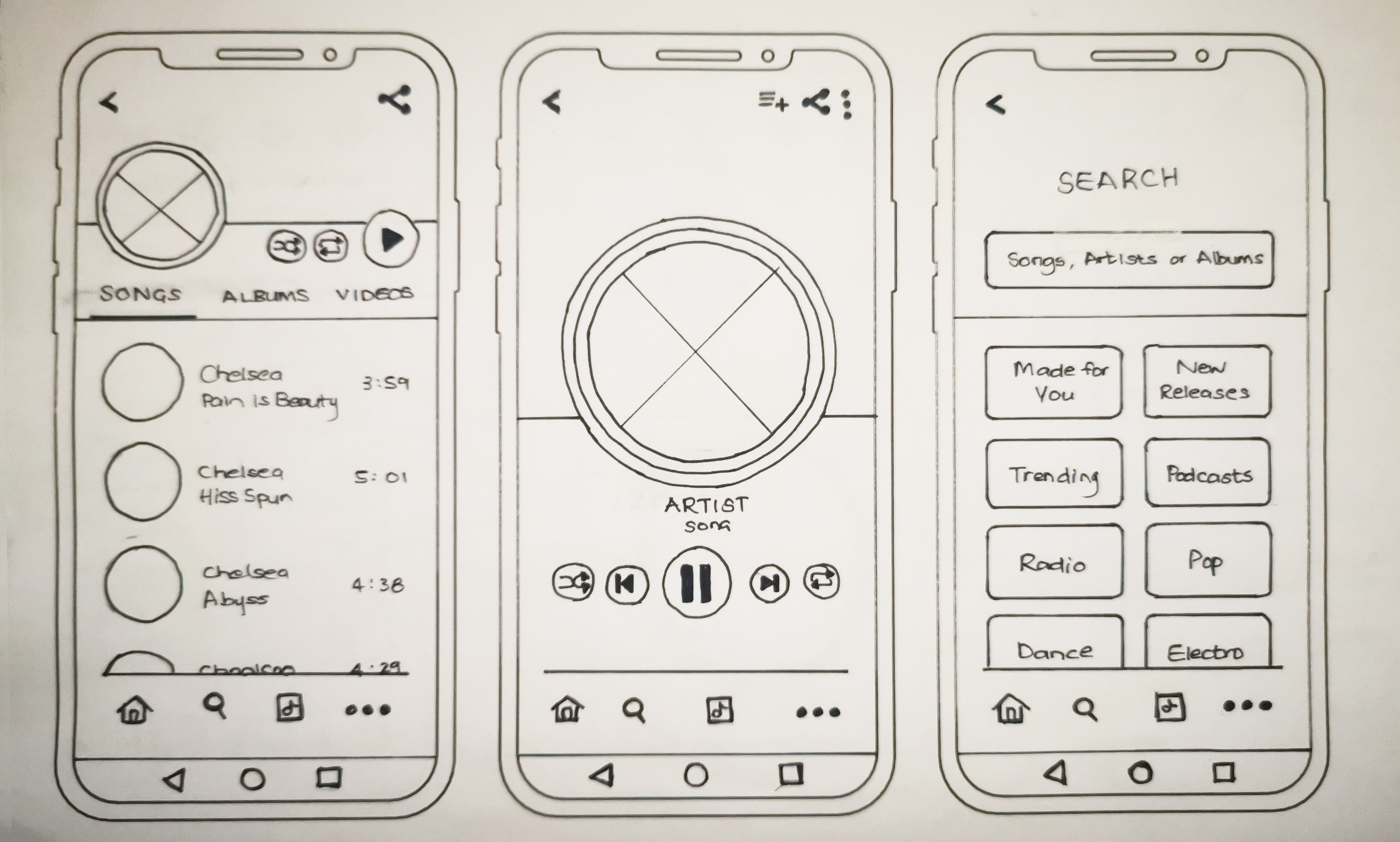
image

Detailed Stetching

Once I was happy with some rough sketches, I made more detailed drawings on individual pieces of paper which I could use to physically go through the journey and easily move around or change completely.

THE PROCESS
3
Prototype

At this stage, I transferred the the initial screens into XD which was a relatively fast process.

Interactive Prototype

I find rapid prototyping in XD to be useful to validate the ideas I had in previous steps. You quickly realise that some ideas that you had might not be the best experience. And while this step is important, it can very quickly lead you down a rabbit hole, if you are trying to find the perfect design.

It is important to remember that this prototype may go through many iterations before it becomes the final product, and sometimes the final product also doesn't end up being exactly like the prototype.

At the end of the day, the prototype is only there to test usability and get feedback from users.

Final Design

image